
Tabs allow users to switch between different views. Tabs may be used on the page level, in modals, side-panels or included as part of a data table. While hovering over tabs the mouse cursor should display as the link select cursor (hand pointer).
Width Considerations
The width of a tab cab vary depending on the length of its label. With this in mind, we should be cautious in naming these items in an effort to keep labels as short as possible.

Active Tab
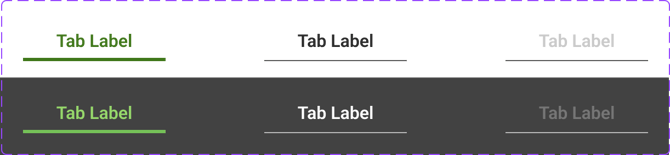
Tabs in an active state will be indicated with a thicker line (3px) and will be displayed in the primary color. The tab label text will be displayed in the primary color as well.
Scrollable Tabs
In the event the amount of tabs exceeds the width of the viewport, tabs may be scrollable. Scrolling ability will be indicated with keyboard arrow right or left buttons which will appear at each end of the row of tabs as needed, but otherwise hidden.
