
Default Tabs
For some views, it can be valuable to divide up content into separate subviews nested under tabs. This can help users more easily find exactly what they’re looking for as quickly as possible without having to scroll and scan or provide a quick way to swap between 2 separate views.

Icon Tabs
The default text only tabs are great for displaying 2-7 subviews. Beyond that, it can become tedious scrolling through plaintext buttons looking for the right view. For this case, it’s best to use icon tabs. These icon tabs take up more space and demand a little more attention, but with that, they also display more information at a glance.
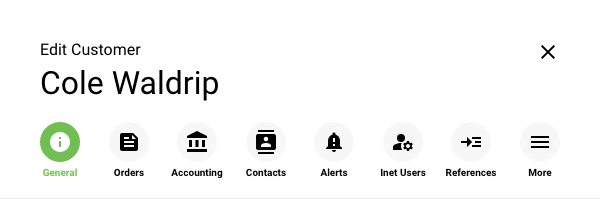
 Icon tabs
Within a side panel, it is possible to display at least 7 icon tabs. Beyond the 7th tab, the overflow menu can contain links to additional views which when used will swap with the 7th icon tab in the menu.
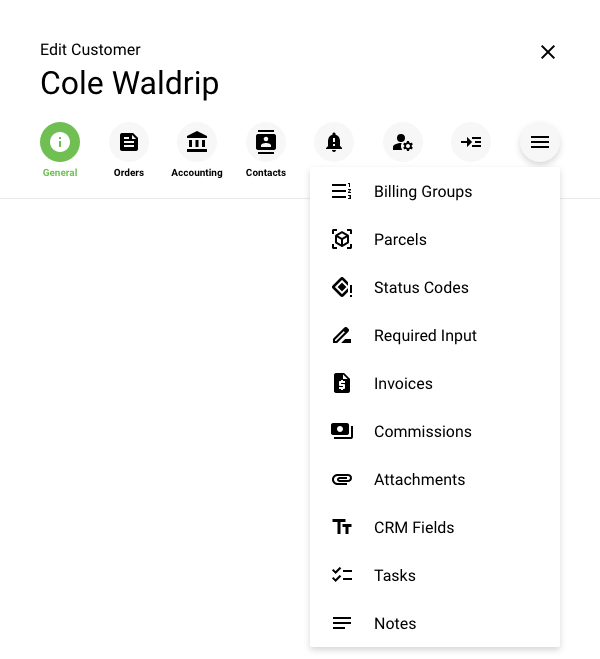

↓
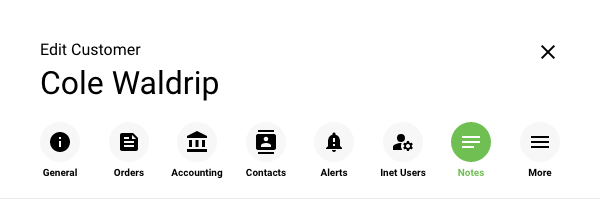
 When “Notes” is selected from the dropdown menu, it takes the place of the last item in the tab list until something else from the “More” menu is selected.