
Marketplace signup for IP Beta - step-by-step flow
-
Navigate to Maintenance>Users
-
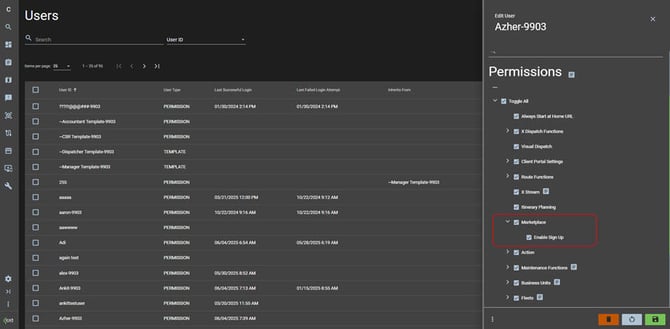
Enable the Marketplace>Enable Sign Up permission
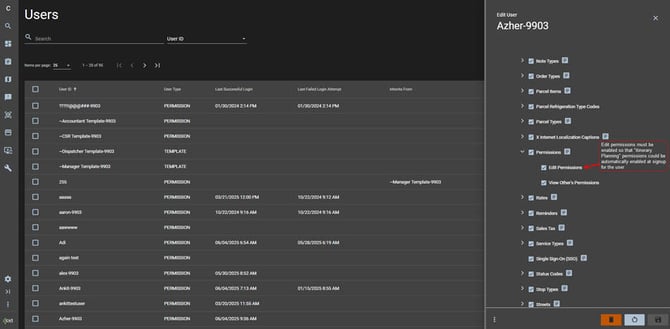
- Ensure the “Edit Permissions” permission on the user permissions page is Enabled for your user
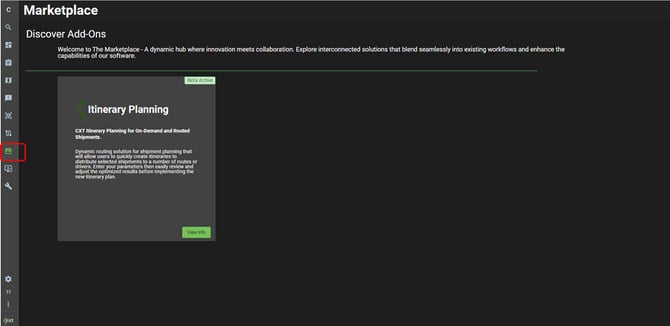
- Open Marketplace ( available in the left navigation)
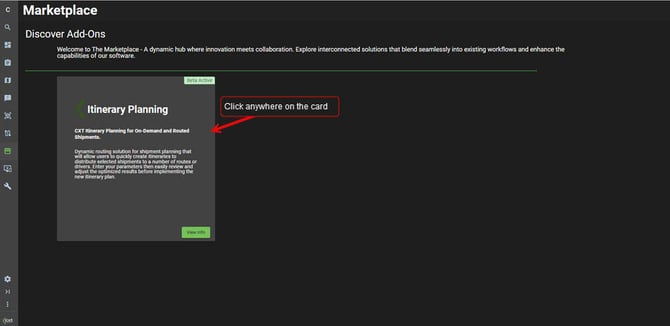
- Click on the Itinerary Planning card
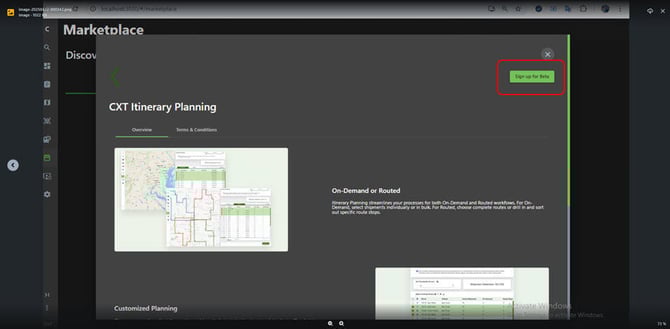
- Click on the Sign up for Beta button
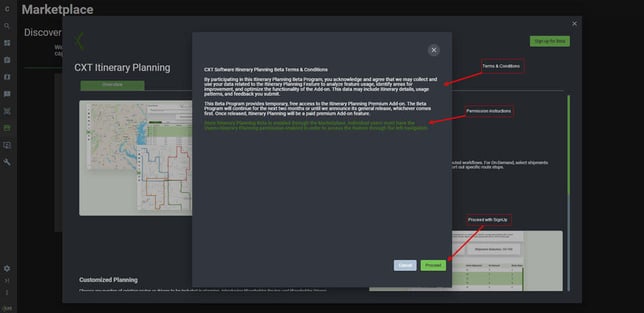
- Read and agree to Term & Conditions
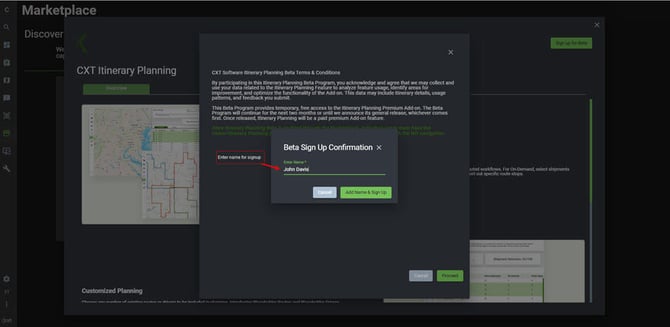
- Enter name when prompted & continue with the signup
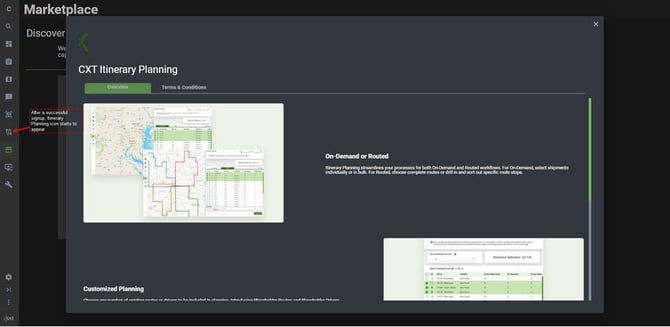
- Itinerary planning icon should start showing-up on the left-nav menu for the signed-up user
-
All other individual users will need to have their Maintenance>Users>Itinerary Planning permission enabled to get access to the new page
Marketplace Signup - permissions (Informational)
-
A new child permission called “Enable Sign up” has been added under the Marketplace permission on the user’s “Permissions” page
-
The “Enable Sign up” permission is set to disabled by default upon upgrade
-
When this permission is set to enabled, It allows the user to signup for all features that are available under the Marketplace page (including Itinerary planning)
-
When this permission is set to disabled & the user has not yet signed-up for the IP Beta:
-
the “Sign up for Beta” button on the Marketplace IP beta page is shown as disabled. When the user hovers over this button, the following message is displayed:
-
“In order to sign up for Marketplace add-on features, you must have the Maintenance > Users > Marketplace > Enable Sign Up permission”
-
-
the IP icon on the left-navigation menu is not shown
-
the IP permission on the user permissions page is not shown
-
-
Marketplace Deactivate IP Beta - workflow
-
This feature has not been provided for the IP Beta phase