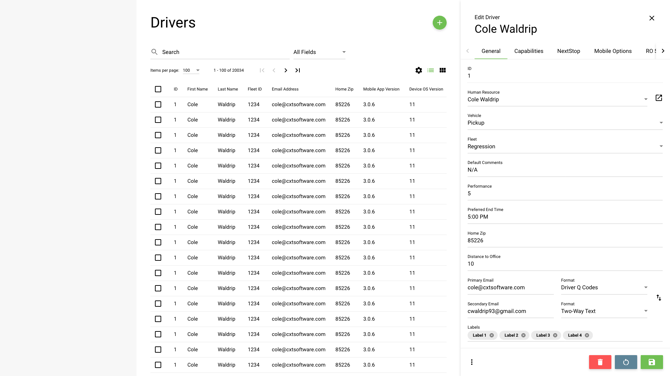
Modals are used to display pertinent information and actions overtop of the application in an intentionally disruptive way. Modals essentially disable the functionality of the application behind it and force the user to give the modal its attention. This is desirable for confirmations and alerts that need to be dealt with right away, but also to ensure that complex functionality can be focused on with no distractions (such as when placing an order or doing a complex find).
Title
All titles, that are not sentences, should have the first letter of each word capitalized.
If the title is a sentence, it should end with the appropriate punctuation.
Articles of text do not have to be capitalized unless it is the first word in the title. (of, the, and, etc.)
Modal titles should match the label of the action that opened the modal.
Sizing
To be consistent about how content in modals is displayed, modals should be restricted to a few sizes: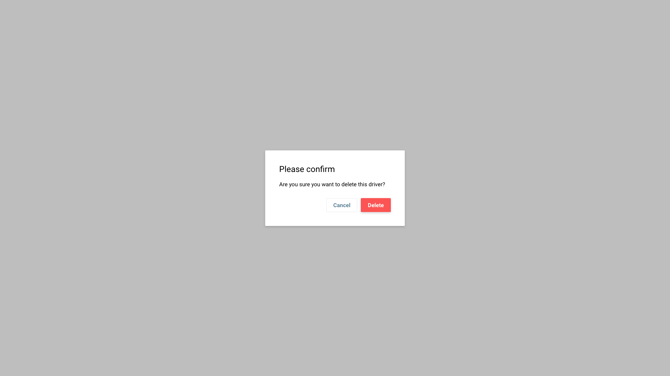 Extra Small: 400px (confirmation dialogues, alerts)
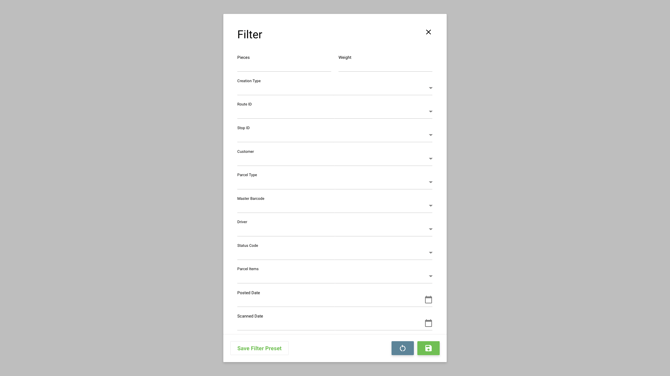
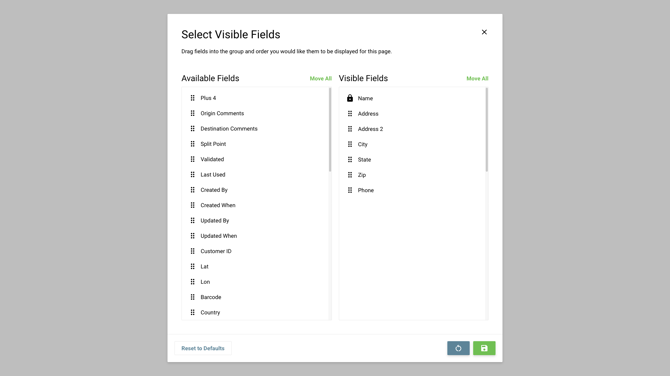
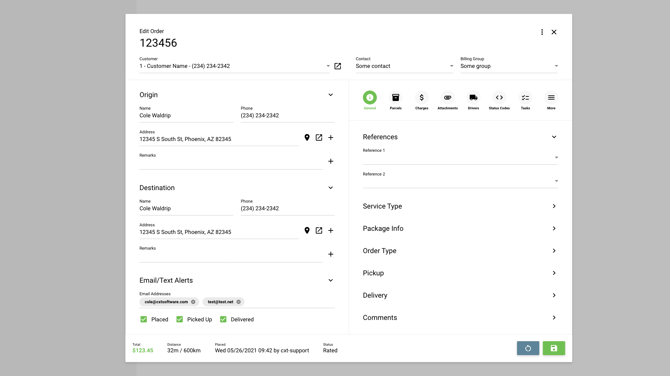
For responsive implementation, each modal size should fill to its specified width at maximum with 20px of padding outside of the modal. For example, if the screen width is only 600px and a small modal is on screen, the modal width would be 560px, whereas the extra small would be able to fit as expected in its full 400px width glory.
Nesting
When a modal is being displayed, it is common to need to push additional modal content, such as a confirmation modal or a nested form. In this case, simply display another modal on top of the currently displayed modal (see image below). There is an argument to be made that this is a less than ideal user experience since the stacked modals are slightly cluttered visually, but this is much better than having to develop and maintain a system for nested modal content by replacing what is currently being displayed while also maintaining state.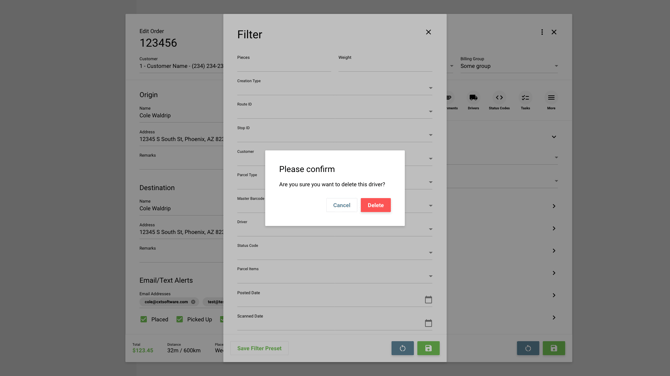
Side Panels
Similar to modals are side panels. The main difference between these two options is that the side panel doesn’t demand attention or block the whole screen like a modal does. It actually pushes the page content inward as much as possible before horizontal scrolling is needed. This can be helpful for allowing users to quickly preview items in a list or navigate away from the view altogether. There are definitely arguments for sticking to one or the other, but both can be used in conjunction based on each use case.